How to Manage Your Household Bills: A Complete System
The bill account system is the single most effective way to organise household money. Move a set amount to a separate bills account every payday, and the money is always there when bills arrive.
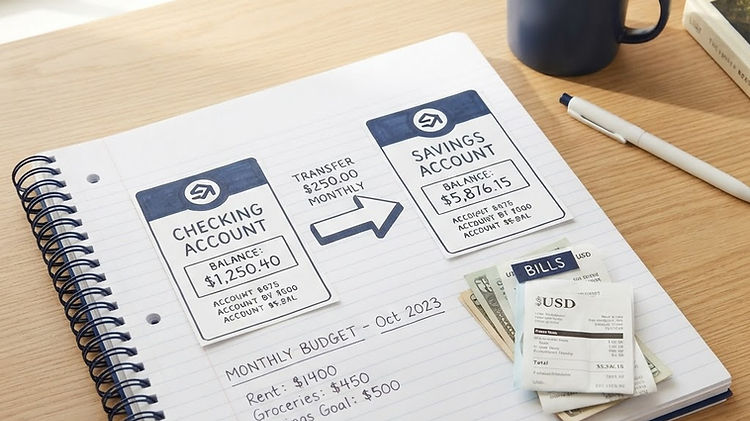
The bill account system
The bill account system is the single most effective way to organise household money. It solves the most common budgeting problem: bills that arrive irregularly and catch you short. By moving money for bills into a separate account every payday, you ensure the money is there when the bill arrives — no scrambling, no stress, no credit card.
This guide walks through setting up and running a bill account system that works with any pay frequency.
The core idea
The system has three parts:
- An everyday account — your pay goes in here, and you spend from here on living costs
- A bills account — you transfer a set amount here every payday, and bills are paid from here
- A savings account — you transfer a set amount here every payday, for savings goals and sinking funds
Every payday, your pay arrives in the everyday account, and you immediately transfer the bills amount and the savings amount to their accounts. What's left in the everyday account is your spending money for the pay cycle — your daily allowance.
Step 1: Calculate your total annual bill cost
List every bill you pay in a year, with its amount and frequency. See our guide to managing household bills for the full process.
| Bill | Amount | Frequency | Annual cost | |---|---|---|---| | Rent | $800 | Monthly | $9,600 | | Electricity | $180 | Quarterly | $720 | | Gas | $90 | Quarterly | $360 | | Water | $70 | Quarterly | $280 | | Phone | $60 | Monthly | $720 | | Internet | $80 | Monthly | $960 | | Car insurance | $66 | Monthly | $792 | | Home insurance | $1,200 | Annually | $1,200 | | Car rego | $600 | Annually | $600 | | Council rates | $900 | Quarterly | $3,600 | | Subscriptions | $45 | Monthly | $540 | | Total | | | $19,272 |
Step 2: Convert to a per-pay amount
Divide the total annual bill cost by the number of pays you receive per year:
- Weekly: 52 pays
- Fortnightly: 26 pays
- Monthly: 12 pays
Example: fortnightly pay
$19,272 ÷ 26 = $741 per fortnight
This is the amount you transfer to the bills account every payday. It doesn't matter whether a bill is due this pay or not — you transfer the same amount every time, and the bills account builds up to cover the bills when they arrive.
Why this works
The bills account smooths out the lumps. Instead of a $1,200 home insurance bill catching you short in April, you've been putting away $46 per fortnight all year — the money is there waiting. Instead of a $900 council rates bill in December, you've been saving $35 per fortnight. The bill arrives, you pay it from the bills account, and the account continues building for the next one.
Step 3: Set up the accounts
Most Australian banks let you open multiple accounts for free. You need:
- An everyday account — with a debit card, for spending
- A bills account — no card needed, just for paying bills
- A savings account — for savings and sinking funds
Some people use separate banks for the bills account, to make it harder to dip into. But if you have decent discipline, accounts at the same bank work fine — just don't get a card for the bills account.
Name the accounts
Name them clearly: "Bills", "Savings", "Everyday". This sounds trivial, but it helps — when you see "Bills" in your banking app, you know what that money is for.
Step 4: Automate the transfers
The system only works if the transfers happen every payday. Two options:
Option 1: Automatic transfers
Set up an automatic transfer from your everyday account to the bills and savings accounts, timed for the day after payday. This is the best option — you don't have to remember, and the money moves before you can spend it.
Option 2: Manual transfers on payday
If your pay amount varies, manual transfers give you more control. On payday, transfer the set amount to bills and savings, and leave the rest in everyday. The key is to do it immediately — don't wait until you've spent some of it.
The order matters
Transfer to bills and savings first, before any spending. If you spend first and transfer what's left, there's usually nothing left. If you transfer first, you adjust your spending to what's available. This is "paying yourself first" — see our guide to setting savings goals.
Step 5: Pay bills from the bills account
Once the system is running, pay all bills from the bills account:
- Set up direct debits from the bills account for regular bills (phone, internet, insurance, subscriptions)
- Transfer manually for variable bills (electricity, gas, water) when they arrive
- Use BPAY or bank transfer from the bills account for one-off bills
The bills account balance will fluctuate — it builds up between bills and drops when a bill is paid. That's normal. As long as you're transferring the per-pay amount every time, the account will always have enough for the next bill.
Step 6: Handle the bills account balance
Over time, the bills account balance will grow — because you're transferring a flat amount every pay, but bills don't arrive evenly. This is a feature, not a bug: the buffer covers the large annual bills when they arrive.
When to check the balance
- Monthly: check that the balance is roughly on track. If it's growing, you're overestimating — you could reduce the per-pay transfer. If it's shrinking, you're underestimating — increase the transfer.
- Before a large bill: check that the balance will cover the upcoming bill. If not, you may need to top up the account.
The minimum buffer
Aim to keep at least one month's worth of bills in the account as a minimum buffer. For the example above, that's about $1,600. This ensures the account can cover any bill that arrives, even if several arrive at once.
Step 7: Add savings and sinking funds
The same system works for savings. Decide on a per-pay savings amount and transfer it to the savings account every payday, just like the bills transfer.
Sinking funds
For irregular expenses that aren't bills — car maintenance, Christmas, birthdays, holidays — set up sinking funds within the savings account. Track each fund separately (in a spreadsheet or a savings tracker app) so you know how much is allocated to each.
See our guide to sinking funds for the full process.
Step 8: Track and adjust
The system needs occasional maintenance:
- Review quarterly: check the bills account balance, confirm bills are being paid on time, and adjust the per-pay amount if bills have changed
- Review annually: go through all bills, check for increases (insurance, rego, subscriptions), and recalculate the per-pay amount. See our guide to auditing subscriptions
- Adjust for life changes: if you move, get a new car, or add a subscription, update the bill list and the per-pay amount
Common bill account mistakes
- Not transferring every pay. The system breaks down if you skip transfers. Automate it, or make it the first thing you do on payday.
- Using the bills account for spending. If you dip into the bills account for non-bill spending, the money won't be there when the bill arrives. Don't get a card for the bills account.
- Underestimating bills. If the per-pay amount is too low, the account will run short. Review regularly and adjust.
- Forgetting annual bills. Car rego, insurance, and memberships come once a year and are easy to miss. Include them in the annual total.
- Not building a buffer. If the account balance is always near zero, one large bill will overdraw it. Aim for a one-month buffer.
When a spreadsheet isn't enough
The bill account system is excellent, but it requires you to calculate the per-pay amount and track the balance manually. The Payday Compass app does this automatically:
- Calculates the per-pay bill amount based on your entered bills and pay frequency
- Projects the bills account balance forward, showing when it will run short
- Alerts you when a bill will breach the buffer
- Handles variable bills by using averages and adjusting
For a quick check on your per-pay bill amount and runway, use the free payday calculator.
Summary
The bill account system moves a set amount to a separate bills account every payday, so the money is there when bills arrive. Calculate your total annual bill cost, divide by the number of pays per year, set up a separate bills account, automate the transfer, and pay all bills from that account. Build a one-month buffer, add savings and sinking funds the same way, and review quarterly. The system eliminates bill stress — the money is always there, because you put it there in advance.
For automatic bill projection and buffer alerts, try the Payday Compass Money Runway.
Put it into practice
The Payday Compass workbook brings these ideas together in one organised spreadsheet.
Explore the Budget Planner